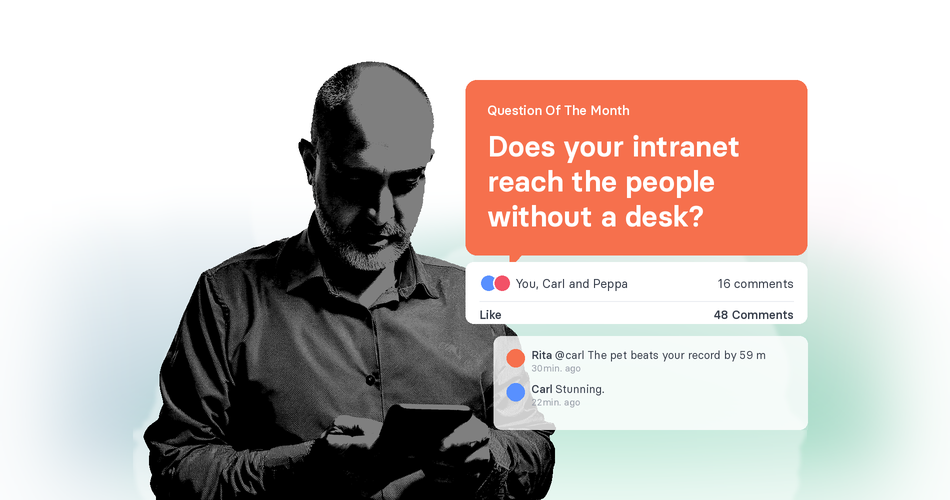

To improve employee communication and engagement, give everyone one trusted place for news, knowledge, and two-way conversation. An intranet can be that place, but only for the people who use it, and in many companies the people who don’t work at a desk are still left out.
Last updated:
Used well, an intranet does more than store documents. If you’re tackling communication and engagement at once, it’s often the right place to start. Below are ten practical ways an intranet can help, what each one looks like in everyday work, and where its benefits stop and its limits begin.
The 10 ways at a glance
| Way | What it looks like | Improves |
|---|---|---|
| 1. Give everyone one trusted source for company news | One official home for every announcement | Communication |
| 2. Send the right message to the right people | News targeted by site, team, or role | Communication |
| 3. Turn announcements into conversations | Comments, reactions, and polls under the news | Both |
| 4. Make information easy to find | Clear structure, working search, named owners | Communication |
| 5. Connect colleagues across sites and shifts | A people directory with roles and locations | Engagement |
| 6. Make leadership visible and approachable | Town hall recaps and open question rounds | Both |
| 7. Give new hires a better start | An onboarding hub that starts before day one | Engagement |
| 8. Recognise people and celebrate wins | Shout-outs, milestones, and team spotlights | Engagement |
| 9. Reach everyone fast when it matters | One official page, plus a push notification or SMS | Communication |
| 10. Include employees without a desk | Mobile access without a work email or licence | Both |
Also on this page: what the data says · check your intranet · where an intranet falls short · how to measure the impact · FAQ
Most of these ways assume people can open the intranet. If part of your workforce can’t, see how tchop reaches employees without a desk.
What does an intranet do for internal communication?
An intranet is a private website that only the people in one organisation can reach. It brings together company news, policies, forms, contacts, and team spaces, and it sits behind a login.
For internal communication, an intranet does two jobs. It stores information people need to look up, and it publishes news people should know about. Most of what an intranet is good for comes from doing both well, and the ten ways below build on that. For a full definition, see our glossary entry on what an intranet is.
What does the engagement data say?
20%
of employees worldwide were engaged at work in 2025, the lowest level since 2020.
Source: Gallup, State of the Global Workplace 2026, 141,444 employed respondents in more than 140 countries
Germany is lower still: just 10% of employees have a strong emotional bond to their employer, according to Gallup’s Engagement Index Deutschland 2025, a survey of 1,700 employees.
How people experience internal communication is shifting too. In the UK, only 54% of employees now rate their organisation’s communication as excellent, nine points lower than a year earlier, according to the IoIC IC Index 2026, a survey of 5,000 UK employees in organisations with 500 or more staff.
Internal communication isn’t a cure for low engagement. It can’t fix pay, workload, or a poor manager. What it can do is make sure people know what’s going on, have a way to respond, and feel part of the organisation. For more numbers, see our post on employee engagement statistics.
10 ways an intranet improves communication and engagement
Some of these ways are mainly about getting information to people, and others give people a reason to take part. Each one is tagged so you can see which is which. For more ways to get people involved, see our 40+ employee engagement ideas.
1. Give everyone one trusted source for company news
Improves: Communication
When news travels through email chains, forwarded WhatsApp messages, and word of mouth, people hear different versions at different times. An intranet gives every announcement one official home, so everyone can check the same source.
Example: a change to holiday booking rules is published once as a news post, with the details and a contact person. Instead of three slightly different emails, everyone reads the same page, and managers can point their teams to it.
This is the foundation for everything else. If people don’t trust the intranet to have the latest information, they won’t come back to it.
2. Send the right message to the right people
Improves: Communication
Not every update matters to everyone. A good intranet lets you target news by site, team, or role, so people see what’s relevant to them and less of what isn’t.
That matters because attention is limited. Most UK employees have ten minutes or less a day to engage with internal communication, according to the IoIC IC Index 2026.
Example: a maintenance notice for one plant goes only to the people who work there. Office staff in another city never see it, and the plant team doesn’t have to dig through company-wide news to find it.
3. Turn announcements into conversations
Improves: CommunicationEngagement
An intranet can do more than broadcast. Comments, reactions, and polls let employees respond, ask questions, and share their view.
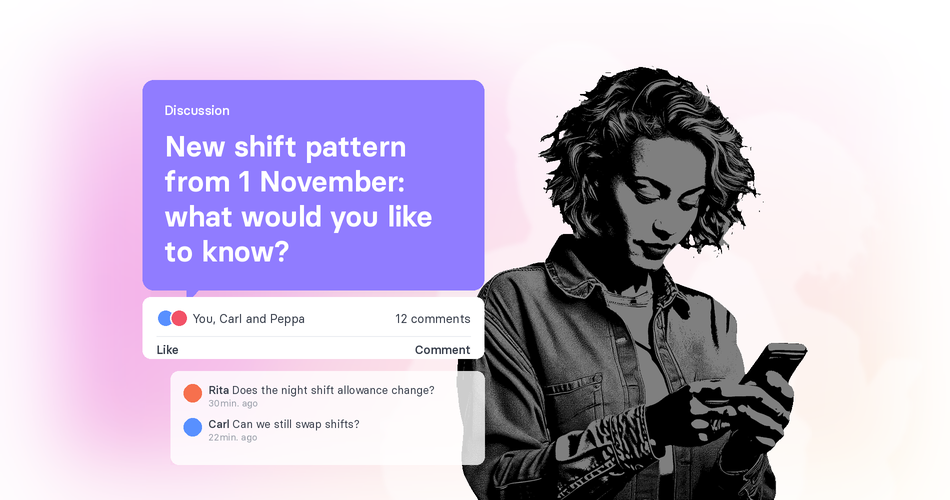
This is where an intranet stops being a noticeboard. Having a voice matters: feeling that your opinions count is one of the 12 elements Gallup measures in its engagement survey, and Gallup’s German report notes that good managers ask their employees for their opinions and listen to them.
Example: a new shift pattern is announced with an open question thread underneath. The comms team collects the most common questions and posts the answers in the same place, so everyone sees them.
4. Make information easy to find
Improves: Communication
Policies, forms, contact lists, and FAQs are only useful if people can find them quickly. A clear structure and a search that works save time for everyone, especially people who check in for a few minutes between tasks.
Search is often where intranets struggle. Years of folders and duplicate documents make it hard to find the current version. Regular clean-ups and a named owner for each section keep content reliable.
Example: an employee searches “shift swap” and finds the current form and the rules on one page, instead of an outdated PDF from three years ago.
5. Connect colleagues across sites and shifts
Improves: Engagement
In larger organisations, people often don’t know who does what outside their own team. A people directory with profiles, roles, and locations makes it easier to find the right person and to put names to faces.
Relationships at work matter for engagement. Having a best friend at work is one of the 12 elements Gallup measures in its engagement survey.
Example: a team leader at one site needs advice on a new machine. The directory shows who at another plant already works with it, and they can get in touch directly.
Halfway through? Check which of the 10 your intranet already does, and see where the gaps are.
Check your intranet6. Make leadership visible and approachable
Improves: CommunicationEngagement
When leaders share updates, explain decisions, and answer questions in one visible place, they become easier to relate to. Town hall recaps, short updates from the CEO, and open question rounds all help.
There is room to improve. In Germany, only 18% of employees say their company’s leadership makes them enthusiastic about the future, down from 21% in 2024, according to Gallup’s Engagement Index Deutschland 2025. In the UK, fewer than half of employees agree that the reasons behind changes are clearly communicated to them, seven points lower than in 2023, according to the IoIC IC Index 2026.
Example: after each quarterly town hall, a short recap goes on the intranet with the key decisions, the reasons behind them, and answers to the questions people asked.
7. Give new hires a better start
Improves: Engagement
The first weeks shape how new employees feel about an organisation. An onboarding hub on the intranet gives them one place for the essentials: who’s who, how things work, what to read first, and who to ask. Some of this can start before day one, during the preboarding phase.
Example: every new starter gets a welcome page with a first-week checklist, short introductions to their team, and links to the policies they need.
8. Recognise people and celebrate wins
Improves: Engagement
Recognition is one of the 12 elements Gallup measures in its engagement survey. An intranet makes it easy to share it in public: shout-outs, team milestones, work anniversaries, and stories from across the organisation.
Recognition works best when it’s specific and comes from colleagues and managers as well as leaders.
Example: a monthly team spotlight features a different site each time, from the head office to a warehouse team, with photos and a short story about their work.
9. Reach everyone fast when it matters
Improves: Communication
When something urgent happens, such as a site closure, a safety issue, or an IT outage, people need to know quickly. An intranet can hold the official, up-to-date information in one place.
On its own, though, an intranet waits to be visited. For urgent news, pair it with channels that come to people, such as push notifications or SMS. Our post on push notifications vs SMS compares the two.
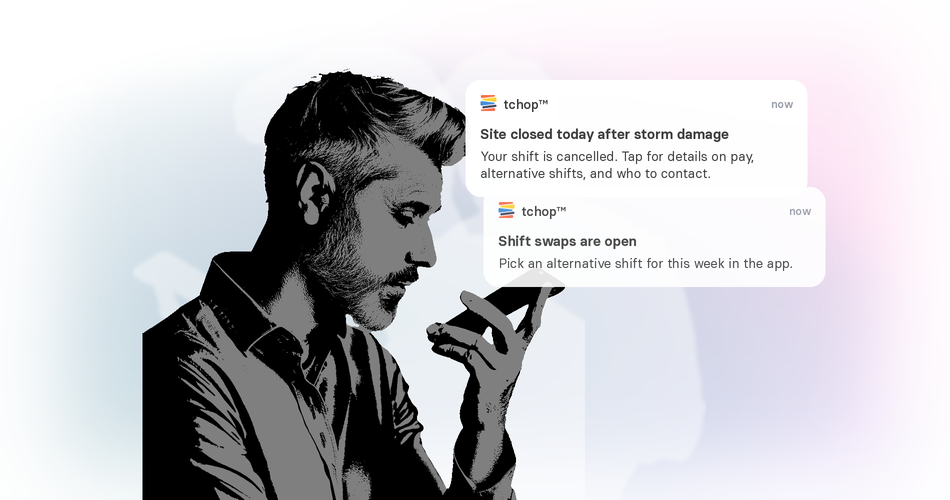
Example: a storm closes a site overnight. A push notification goes out at 5:00, linking to an intranet page with details on pay, alternative shifts, and who to contact.
10. Include employees without a desk
Improves: CommunicationEngagement
Many intranets were built for office staff with a computer, a company email address, and a licence. Production, logistics, retail, and care staff often have none of these, so they can’t get in.
That gap affects engagement.
13 points
UK employees who aren’t regularly connected to a computer are 13 points less likely to feel safe to speak up.
Source: IoIC IC Index 2026
Mobile access that doesn’t depend on a company email address or a licence brings these employees into the same conversation. Our post on intranet vs employee app explains how the two can work together, and our intranet software page shows how that can look in practice.
Example: warehouse staff open the company app on their own phones during a break, read the same news as the office, and comment on it.
How many of these 10 does your intranet do?
Tick each one your intranet already does. The score updates as you go.
Where does an intranet fall short?
An intranet nobody opens engages nobody.
- Adoption: if the intranet isn’t part of daily work, people stop checking it, and once content goes out of date, trust is hard to win back.
- Desk-centric design: many intranets assume a computer and a company account. In Germany, 68.4% of people working in businesses with ten or more employees had internet access for work in 2025, according to Eurostat. For almost a third, a desk-based intranet may simply not be part of their working day.
- Licences: when access is priced per user, giving every frontline employee an account can be expensive, so some groups are left out on purpose.
- Mobile experience: an intranet that works on a desktop isn’t automatically easy to use on a phone during a ten-minute break. Our post on building a mobile-first intranet covers what that takes.
- Content overload: when everything is published to everyone, the important updates get lost.
The answer is to plan for who the intranet reaches, and to add a second channel where it doesn’t. If the problem sits outside the intranet, our post on why internal communication fails covers broader fixes.
How do you measure the impact of an intranet?
To see whether your intranet is working, measure communication and engagement separately. Both matter, and they tell you different things.
Communication
- 1. Give everyone one trusted source for company news
- 2. Send the right message to the right people
- 4. Make information easy to find
- 9. Reach everyone fast when it matters
Measure reach, read rates, and interactions.
Both
- 3. Turn announcements into conversations
- 6. Make leadership visible and approachable
- 10. Include employees without a desk
Measure both sets.
Engagement
- 5. Connect colleagues across sites and shifts
- 7. Give new hires a better start
- 8. Recognise people and celebrate wins
Measure pulse answers, participation, and onboarding and retention trends.
Internal communication:
- Reach: how many people in each target group saw a message
- Read rates: how many opened and read it
- Interactions: comments, reactions, and questions
Employee engagement:
- Short pulse questions on a few topics, repeated regularly. Our post on pulse surveys vs engagement surveys explains when to use each.
- Participation: how many people take part in polls, comments, and recognition
- Onboarding and retention trends: for example, how new starters rate their first weeks, and how many stay
Look at aggregate figures for teams and sites, not at individual employees. That protects privacy and keeps the focus on what to improve.
Frequently asked questions
What are the benefits of an intranet?
An intranet gives everyone one trusted source for company news, makes policies and forms easy to find, connects colleagues across sites, and lets employees comment and ask questions. The main advantages of an intranet over email are that information stays in one place and can be targeted to the people it concerns.
Can an intranet improve employee engagement?
It can support it. An intranet gives employees a voice and helps people recognise each other, two things Gallup measures in its engagement survey. It can also make leaders more visible. But it only works for the people who use it, and it can’t make up for issues such as pay, workload, or management.
How do you improve employee communication and engagement?
Give people a way to respond, not just read. Explain the reasons behind decisions, make leaders visible, recognise good work in public, and make sure every employee, including those without a desk, can take part. Then measure participation and adjust.
What are the disadvantages of an intranet?
The most common are low adoption, outdated content, poor search, per-user licence costs, and a design built for desk-based staff. Many intranets also struggle on mobile, which leaves out frontline employees.
How do you get employees to use the intranet?
Publish all official news there first, keep content current with clear owners, target updates so people see what’s relevant, make search work, and make it easy to use on a phone. Most of all, make it useful: people come back to places where they find answers and can join the conversation.
Reach every employee, including those without an intranet account
If part of your workforce can’t get into your intranet, tchop gives them an employee app that opens with an access code from their employer instead of a work email address. See how it works on our intranet software page and our employee engagement platform, or book a 20-minute demo.