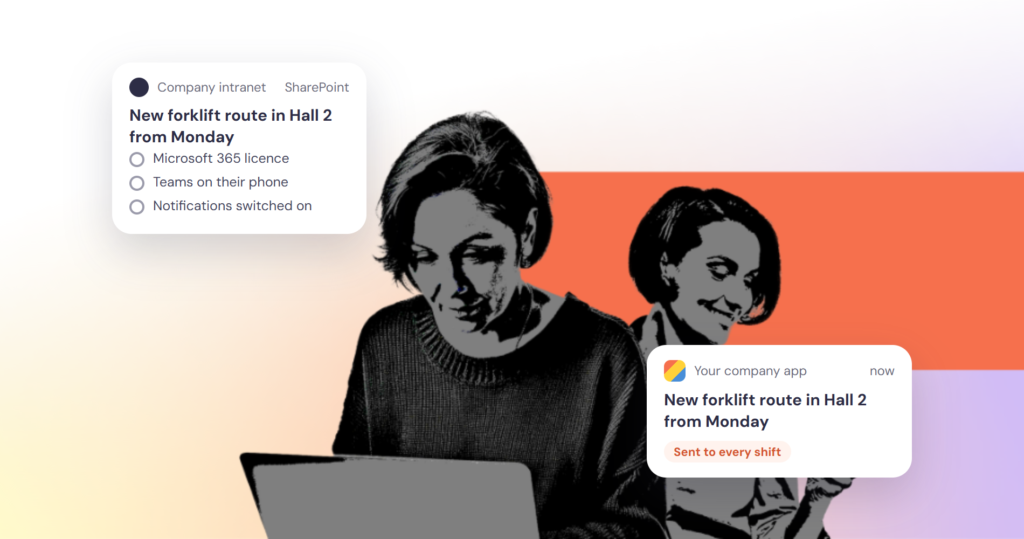

A SharePoint intranet for frontline workers works when each person has a Microsoft 365 account, Teams on a phone they carry and notifications switched on. Each of those conditions leaves part of a shift workforce out. Keep SharePoint for documents and desk staff, and add a direct channel for the people it cannot reach.
For companies still on SharePoint Server, 2026 forces a decision anyway. Microsoft ended support for SharePoint Server 2016 and 2019 on 14 July 2026, and retired SharePoint Add-ins and SharePoint 2013 workflows in SharePoint Online on 2 April 2026. Viva Connections, Microsoft’s front door to the intranet inside Teams, is now called the SharePoint app in Teams. Before the migration plan is signed off, it is worth asking a plainer question: who does the intranet reach today?
Is SharePoint still relevant in 2026?
Yes. Microsoft has retired old versions and old ways of extending SharePoint, not SharePoint itself.
| Date | What changed | What it means |
|---|---|---|
| 2 April 2026 | SharePoint Add-ins stopped working in SharePoint Online | Custom add-ins had to move to the SharePoint Framework |
| 2 April 2026 | SharePoint 2013 workflows fully retired for existing tenants | Approvals and processes move to Power Automate |
| 14 July 2026 | Extended support ended for SharePoint Server 2016 and 2019 | No more security updates for on-premises intranets on those versions |
| Since November 2021 | SharePoint Server Subscription Edition, still in support | The on-premises route that remains, besides SharePoint Online |
Sources: Microsoft Learn lifecycle pages for SharePoint Server 2019, 2016 and Subscription Edition, the Add-in retirement notice and the SharePoint 2013 workflow page.
What does a SharePoint intranet do well?
For people at a desk, a lot. Documents, permissions and search run on the Microsoft Entra ID identities the company already manages. News can be targeted to audiences. The SharePoint app in Teams adds a dashboard of cards where staff can clock in for a shift, open training or check a payslip, in Teams on desktop, tablet and phone. For an office workforce that already works in Microsoft 365, that is hard to beat.
Where do frontline workers drop out?
Microsoft publishes the conditions under which someone receives a SharePoint news notification: the SharePoint app is installed in Teams, notifications are on in the Teams mobile app, the message arrives outside the person’s quiet hours, and the person has access to the post and belongs to its audience. For frontline staff, the chain has five links. Each is reasonable on its own. Together they decide who the intranet reaches.
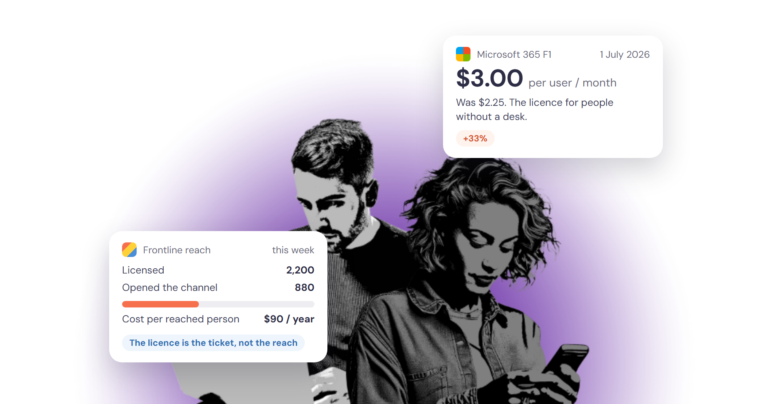
- An account and a licence. Every employee who reads the intranet needs a Microsoft 365 licence that includes SharePoint. The cheapest, Microsoft 365 F1, has cost $3.00 per user per month (US list price) since 1 July 2026, as we set out in our Microsoft 365 F1 vs F3 cost comparison. Seasonal and agency staff need one too.
- Internet access at work. In EU companies with ten or more staff, 35 percent of the people employed have no internet access for work, and in manufacturing 42 percent, according to Eurostat’s 2025 figures.
- Teams on a phone they carry, signed in with a work account. Without a company phone, that means installing Teams on a personal one.
- Notifications switched on. On Teams mobile, Microsoft notes, these news notifications cannot be switched on or off selectively, only together with all Teams notifications. A worker who turns off Teams notifications because of a noisy group chat also stops getting company news.
- A reason to open it. News notifies people about sites they follow, colleagues they work closely with, or posts that are boosted and targeted to them. A packer on the night shift is unlikely to follow many SharePoint sites. Announcements do reach the lock screen through Teams, and Microsoft advises using them sparingly, so they cannot carry the weekly news.
How can you check your SharePoint reach?
Three numbers, all available today, say more about a SharePoint intranet for frontline workers than any migration plan:
- Headcount against active Microsoft 365 accounts. The difference is the group your intranet cannot reach at all.
- Active SharePoint and Teams users in the Microsoft 365 admin centre usage reports, compared with the licences you pay for.
- Views on your last five company news posts, split by site or department where you can.
If a production site with 400 staff shows a few dozen readers, look for the cause in the five links above before rewriting the content.
What should you add to a SharePoint intranet for frontline workers?
Keep SharePoint as the place where documents, policies and processes live, and where desk staff work. Add a direct channel for the news, the safety update and the shift change that every employee has to see:
- an app on the phone people already carry, under their employer’s name;
- a sign-in that works without a company email address, and single sign-on for those who have one;
- push to the lock screen, with channels people can choose;
- comments and replies, so a question from the floor gets an answer;
- links into SharePoint for the policy or form, for those who can open it.
Our piece on the mobile-first intranet covers the design side, and our comparison of a dedicated employee app with Microsoft Teams and Viva covers the Teams route.
Where tchop fits
tchop is that direct channel: a white-label employee app and web app for every employee, including people without a desk or a company email address. Frontline staff join with a QR code and a passwordless link, with no company email or VPN needed, and employees with Microsoft accounts can sign in through Microsoft Entra ID. News reaches the lock screen as push, readers choose their channels, and comments let the floor answer back. The company’s own AI agents can prepare posts through tchop, and the comms team decides what goes out. AOK and Wernsing Food Group run their employee apps on tchop. For a side-by-side comparison, see our SharePoint alternative page.
If your intranet plan for 2026 still leaves the shop floor out, request a demo for employee apps.
FAQ
Is Microsoft getting rid of SharePoint?
No. Microsoft has ended support for SharePoint Server 2016 and 2019 and retired SharePoint Add-ins and SharePoint 2013 workflows, but SharePoint Online and SharePoint Server Subscription Edition remain in support. Microsoft also renamed Viva Connections the SharePoint app in Teams, which keeps SharePoint at the base of company news in Teams.
What replaces SharePoint Server 2019?
There are two routes: SharePoint Online in Microsoft 365, or SharePoint Server Subscription Edition for companies that need to stay on premises. Microsoft’s lifecycle page lists Subscription Edition as in support, with no retirement date set.
What is the SharePoint app in Teams?
It is the new name for Viva Connections: a branded landing experience in Microsoft Teams, built on a SharePoint home site. It has four parts (news, a dashboard of cards, announcements and resources) and works on desktop, tablet and phone.
Can frontline workers use SharePoint without a Microsoft 365 licence?
Not as employees. Each employee who reads the intranet needs a licence that includes SharePoint, such as Microsoft 365 F1 or F3. SharePoint’s external sharing is designed for people outside the organisation, such as partners, vendors and customers, according to Microsoft’s external sharing overview.